

01 On paper
87°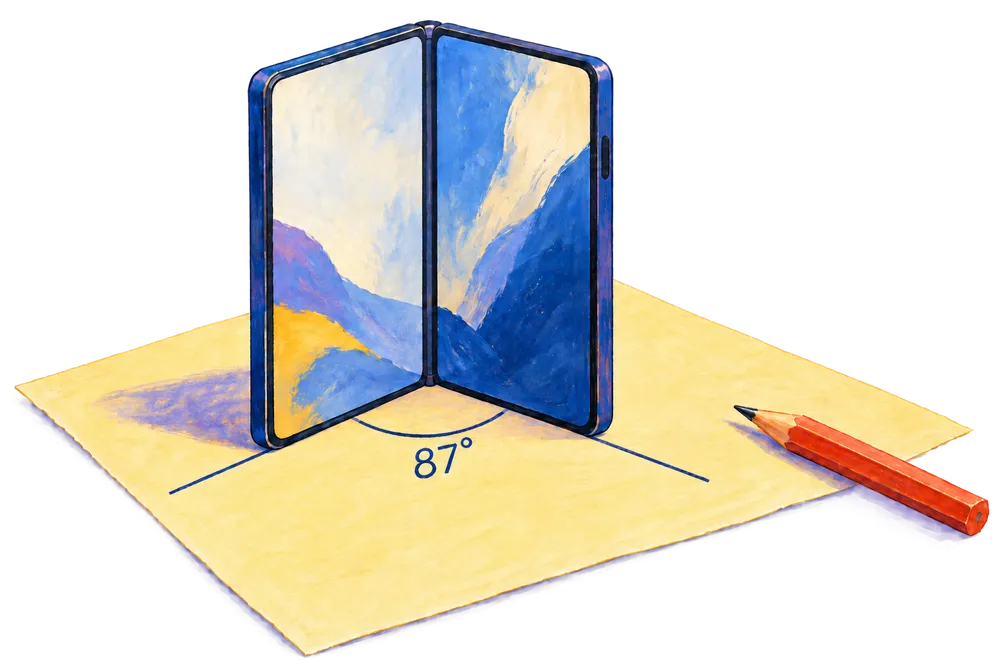
From pencil lines to degrees.
Stand the phone on its bottom edges. Align each edge with a line on the paper, then read the angle.
Measure angles with the fold of your iPhone Duo. Line it up, read the angle, and save it.
Only for iPhone Duo · Now Available

A FOLD. A READING. THAT’S IT.
A line you’ve drawn. A corner you’re curious about.
Two simple ways to put your phone to work.
Stand the phone on its bottom edges. Align each edge with a line on the paper, then read the angle.
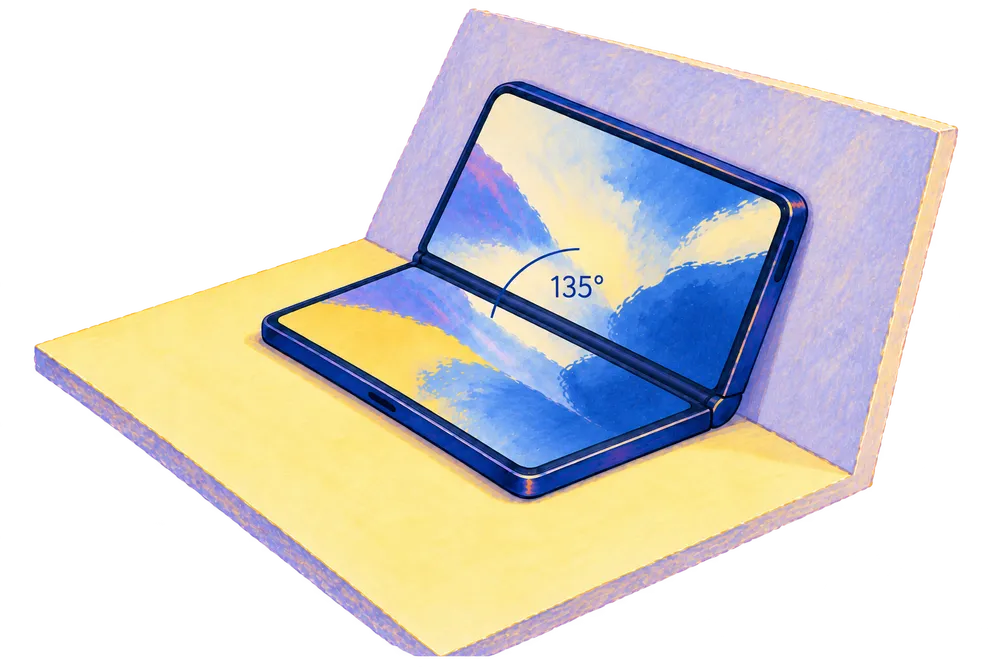
Rest each half against a surface. Fold to fit the angle where they meet, with controls on the flatter half.
Protractor reads the phone’s hinge angle. How you line up the phone, including its edges and case, affects the angle you’re measuring.
FOR THE ANGLES WORTH KEEPING
Tap Record when you’ve got your reading. Find it again in History, grouped by day with the time it was saved.
Today
Yesterday
BEFORE YOU OPEN UP
Protractor° Duo is built exclusively for iPhone Duo. It uses the phone’s folding hinge to measure the opening angle.
The live hinge angle as you fold the phone. An opposite-angle reading shows 180° minus that angle. The guides help you line it up with paper or surfaces; it doesn’t measure a surface’s slope.
Use the reading as an estimate. As a rule of thumb, allow around ±5° in the hinge reading; that’s an approximate allowance, not a guaranteed tolerance. Alignment, rounded phone edges, and a case can add more error when measuring lines or surfaces.
Line up both halves carefully and hold the phone still before recording. For work that needs a precise angle, check with a dedicated measuring tool. Apple’s documentation explains that hinge updates can vary in granularity and shouldn’t be relied on for a fixed precision.
Your readings and preferences stay on your device. History groups your saved readings by day, and you can delete individual readings or clear them all.
Protractor° Duo is now available on the App Store for iPhone Duo. Have a question? Write to [email protected].

PROTRACTOR° DUO
 TorchlightHandy app for your iPhone when the lights goes out
 DualgramRecord front and rear cameras at the same time
 Poo KeeperTrack your bowels with ease
 Baby LogTrack your baby feedings, diaper change, photos, and everything!
 SG RadioStream Singapore radio stations on your iPhone
 My MoneyTrack your personal net worth easily with this Mac app